Create and publish your first MiniTiendAI store
On the homepage, choose the free AI creator. Describe your products, city and intended customers; AI prepares a draft for you to review. Save the store with your account and open Store Studio to edit the design. In Products, replace sample prices, pictures and stock with real information. Set your business WhatsApp number, review the preview and publish from Publish. Open the link on another phone: add two products, change a quantity and check that the resulting message is correct before sharing it.
Define what you can sell and fulfill
Make a few operational decisions before opening a store editor. Choose the products that are actually available, where you can deliver, when you respond, and which payment methods you accept. A short, dependable catalog is usually more useful than publishing every idea and explaining later which items are not ready.
List the information required to complete an order: customer name, delivery address or pickup point, preferred time, product options, and special notes. If you sell personalized goods, state the production time and when the customer approves the design. For food, include practical details such as portions, relevant ingredients, and storage. A clear storefront reduces repetitive questions, but it should not imply automatic availability when you still confirm stock manually.
- An initial list of available products
- Delivery areas, fees, and time windows
- Accepted payment methods and timing
- Rules for changes, cancellations, and deposits
Organize a catalog customers can scan quickly
Group products around the way customers shop, not the way your inventory spreadsheet is arranged. A personal-care store might use face, body, and gifts; a restaurant could separate breakfast, mains, drinks, and extras. Avoid vague labels such as “miscellaneous,” and skip one-item categories unless they genuinely make navigation easier.
- Categories based on shopping intent
- Specific, searchable product names
- Unambiguous prices and options
- Availability reviewed on a regular schedule
Use photos and descriptions to answer real questions
A useful product photo does not require an expensive studio. Look for even light, a background without distractions, and a frame that shows the whole item. Keep image proportions reasonably consistent so the catalog feels orderly. When scale is not obvious, add exact measurements or a familiar reference. Never show accessories as if they are included when customers must purchase them separately.
Let the description add what the picture cannot. Replace strings of adjectives with details that support a decision: material, capacity, ingredients, care, compatibility, or preparation time. Use short sentences and lead with the most important point. Disclose restrictions, allergens, or special conditions clearly. The goal is not to eliminate conversation; it is to help each customer begin that conversation after making an informed choice.
- One clear and honest primary image
- Measurements or quantity when relevant
- A concrete benefit and useful specifications
- Important notices before purchase
Add brand details that build confidence
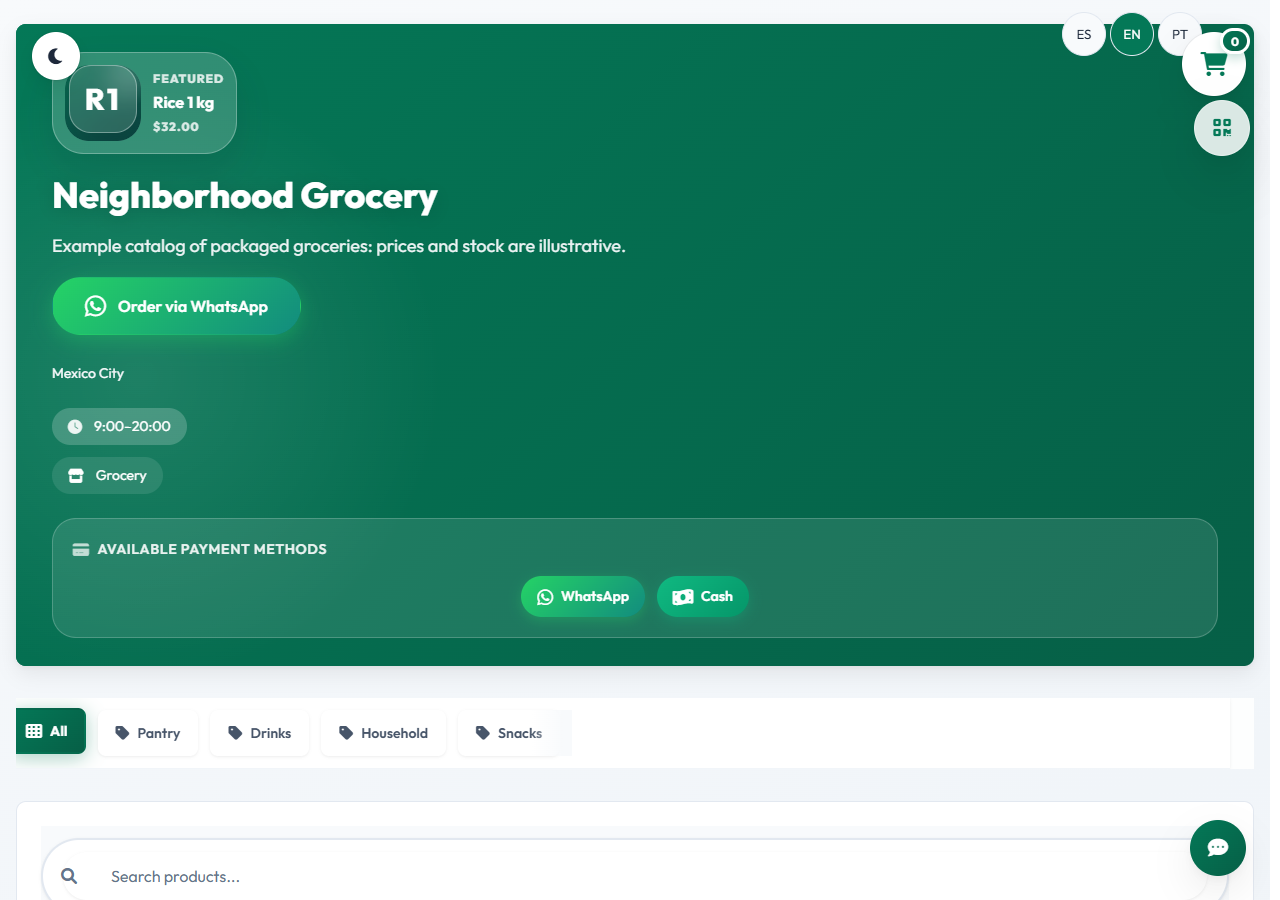
Design should make your business recognizable while keeping the catalog easy to read. Choose colors with sufficient contrast, readable type, and a header that explains what you sell in one line. You do not need to fill every space with an offer. On a small screen, the business name, value proposition, categories, and next action should compete as little as possible.
Complete the practical details customers use to judge a purchase: city or service area, response hours, preparation estimates, and a current contact method. Link only to social profiles you actively maintain. Publish plain-language policies for delivery, exchanges, returns, and privacy. Avoid displaying unnecessary personal information. If you operate from home, you can share service zones or agreed pickup points without placing a private address on a public storefront.
- Consistent name, promise, and visual style
- Readable text on mobile and desktop
- Current contact details and response hours
- Commercial terms that are easy to find
Create a WhatsApp order that is easy to confirm
The cart lets customers select products and quantities before beginning the chat. The prepared message should include items, chosen options, quantities, displayed prices, subtotal, and any notes the customer entered. It should also identify the store. A structured summary prevents both sides from rebuilding the order one line at a time and creates a common reference for confirmation.
WhatsApp remains a conversation; opening or sending a message does not automatically confirm inventory, payment, or delivery. State near the action that the business will review availability, final total, and terms. If delivery depends on location, do not describe the displayed amount as final until the fee is included. Test the business number with its country code. Do not add a buyer to promotional lists simply because they placed an order; ask for separate consent.
- Products, options, and quantities
- Displayed prices and customer notes
- A clear manual-confirmation notice
- A tested business number with country code
Test the complete journey on a phone
Before sharing the link, use the store like someone who has never seen your business. Open it on a phone, switch categories, inspect several products, add and remove items, and change quantities. Check that text is not clipped, controls are comfortable to tap, and the cart keeps its contents while you continue browsing.
- Navigation and reading on a small screen
- Cart, quantities, and item removal
- Correct WhatsApp contact and order summary
- An outside test without guidance
Run the store with a simple routine
Use a consistent sequence for new orders: greet the customer, review items and availability, calculate delivery, share the total, explain payment, and provide a realistic timeline. It does not need to sound robotic. A flexible structure simply prevents important details from being missed. Give each order an internal status such as new, confirmed, preparing, ready, delivered, or canceled so conversations do not disappear in the inbox.
Update the catalog whenever prices, hours, or stock change. Record recurring questions and improve the relevant product description. Notice which products are ordered together, which receive interest but no orders, and why customers cancel. Those signals can guide bundles, photos, or terms, but avoid conclusions from a handful of cases. Review a complete period and change one element at a time so you can tell whether the flow improved.
- A flexible order-confirmation sequence
- A clear status for every conversation
- Catalog information aligned with operations
- Periodic review of questions and cancellations